【🎁無料サンプル🎁】濡れて透ける! ぬれすけ ― VRChatギミック【Modular Avatar対応】
- ダウンロード商品製品版¥ 1,280
- ダウンロード商品無料サンプル¥ 0無料ダウンロードNureSuke_Free_v1.1.1.zip(369 KB)NureSuke_Free_v1.1.1.zip
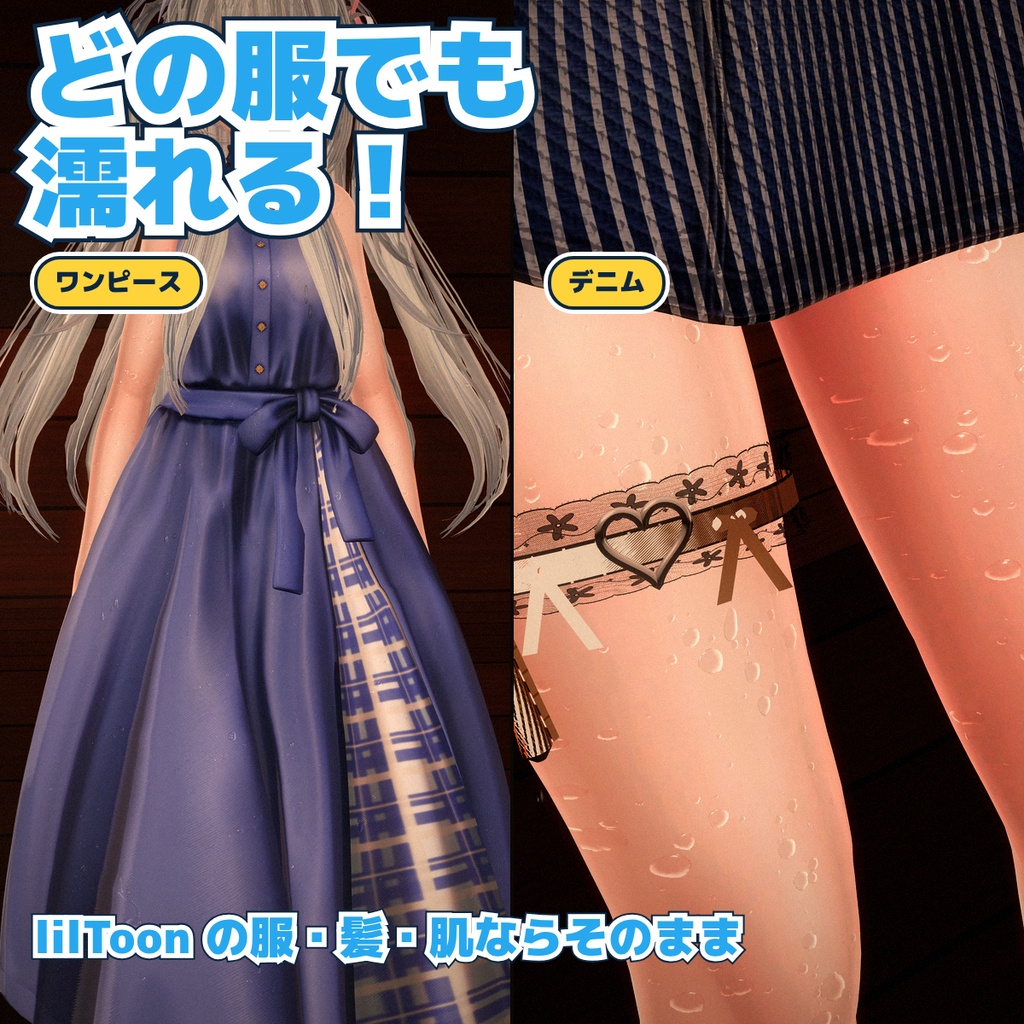
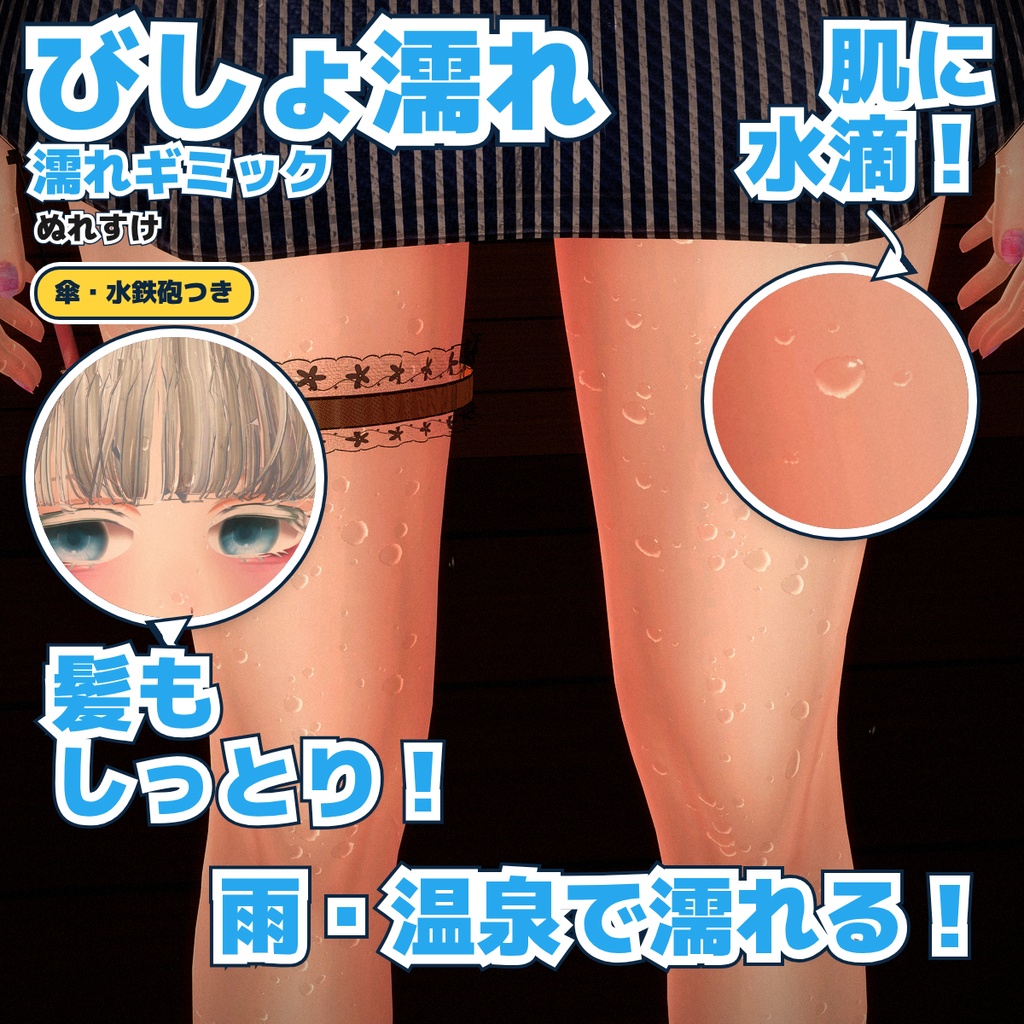
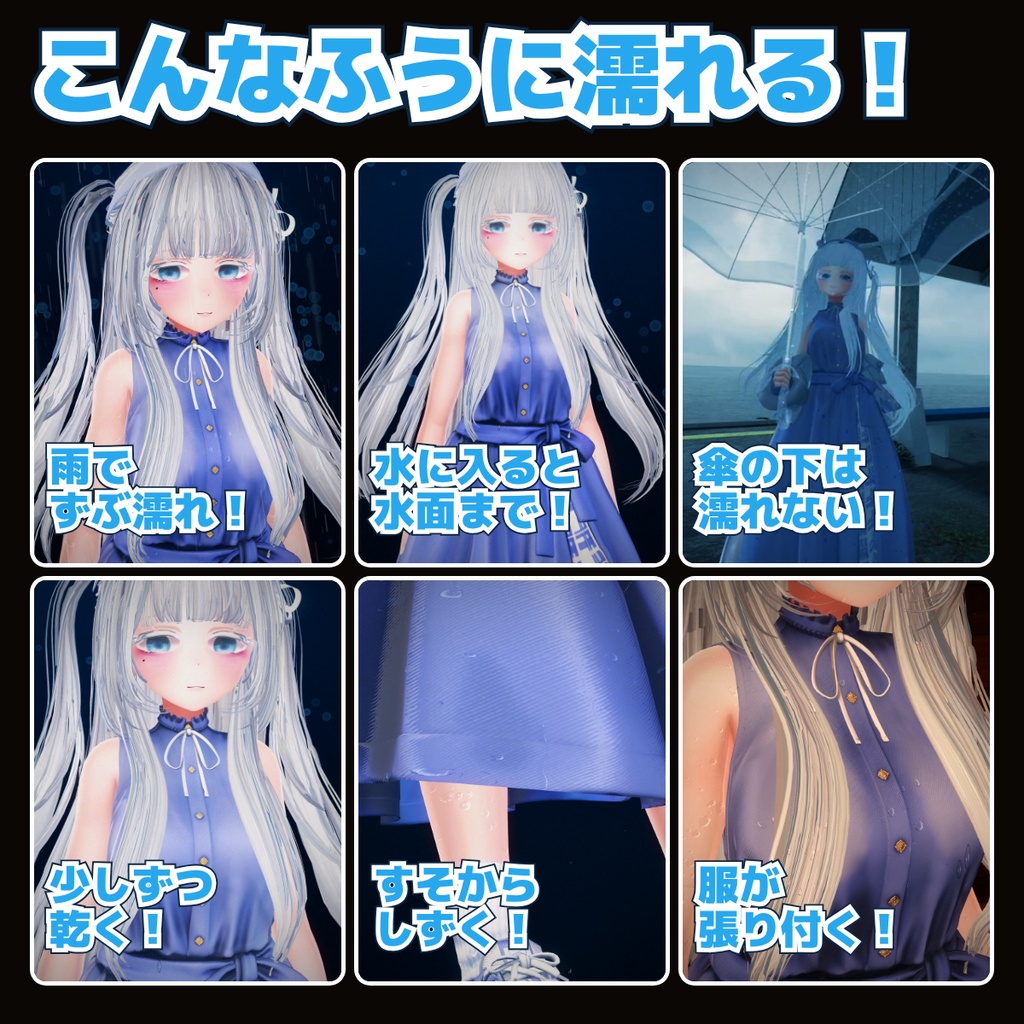
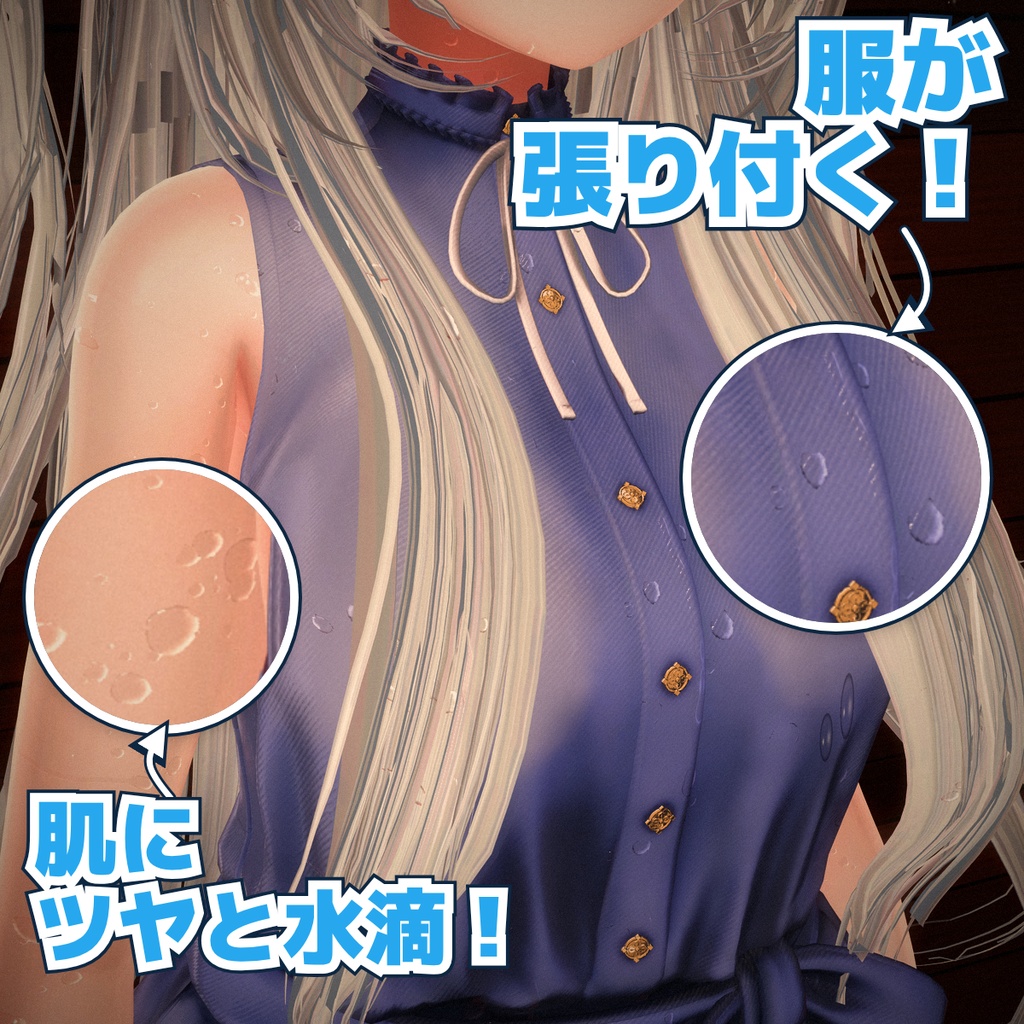
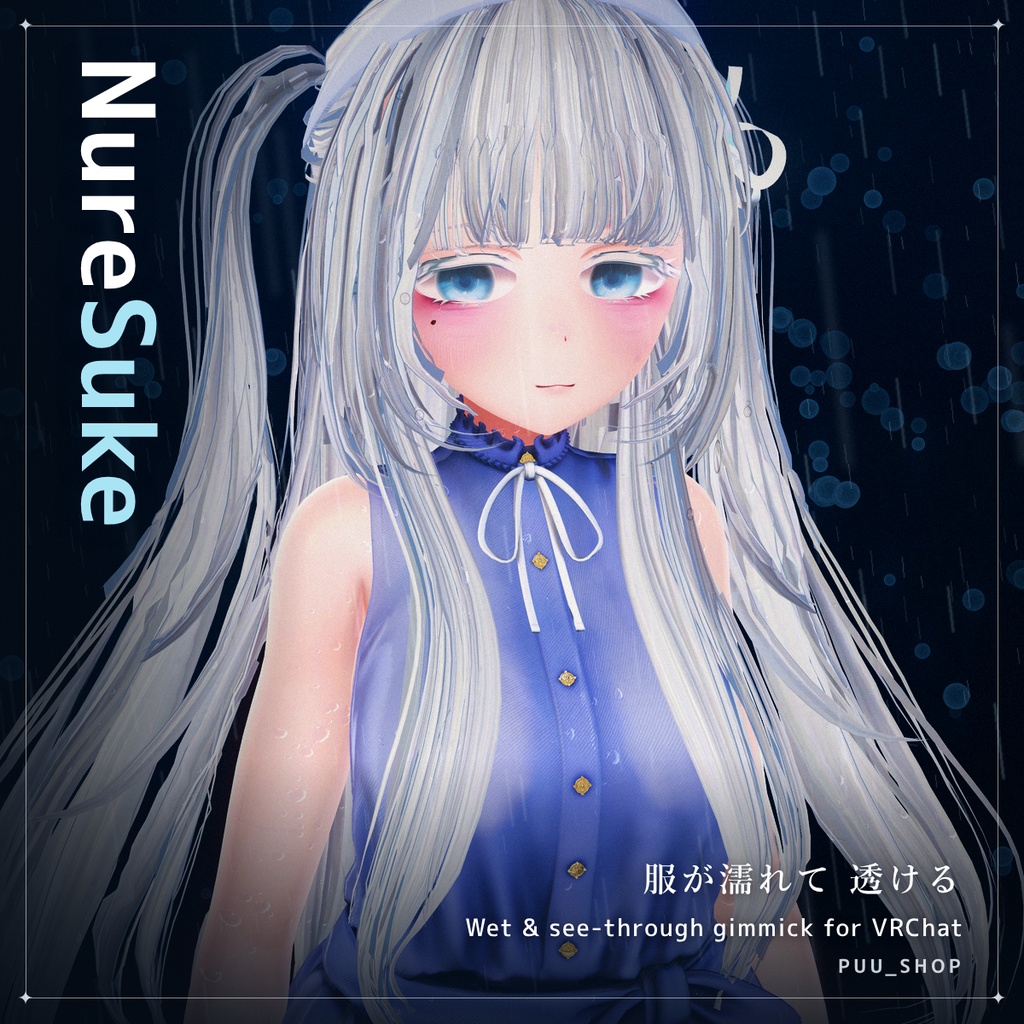
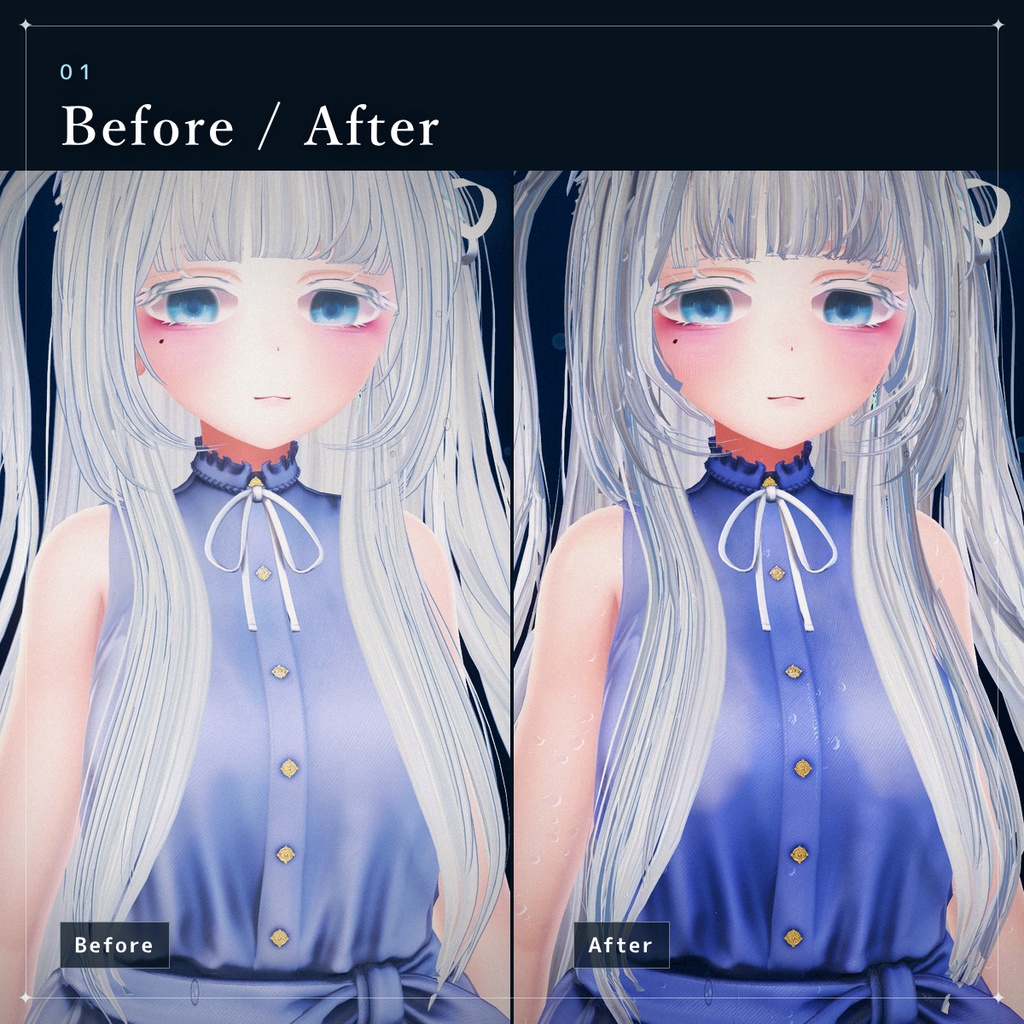
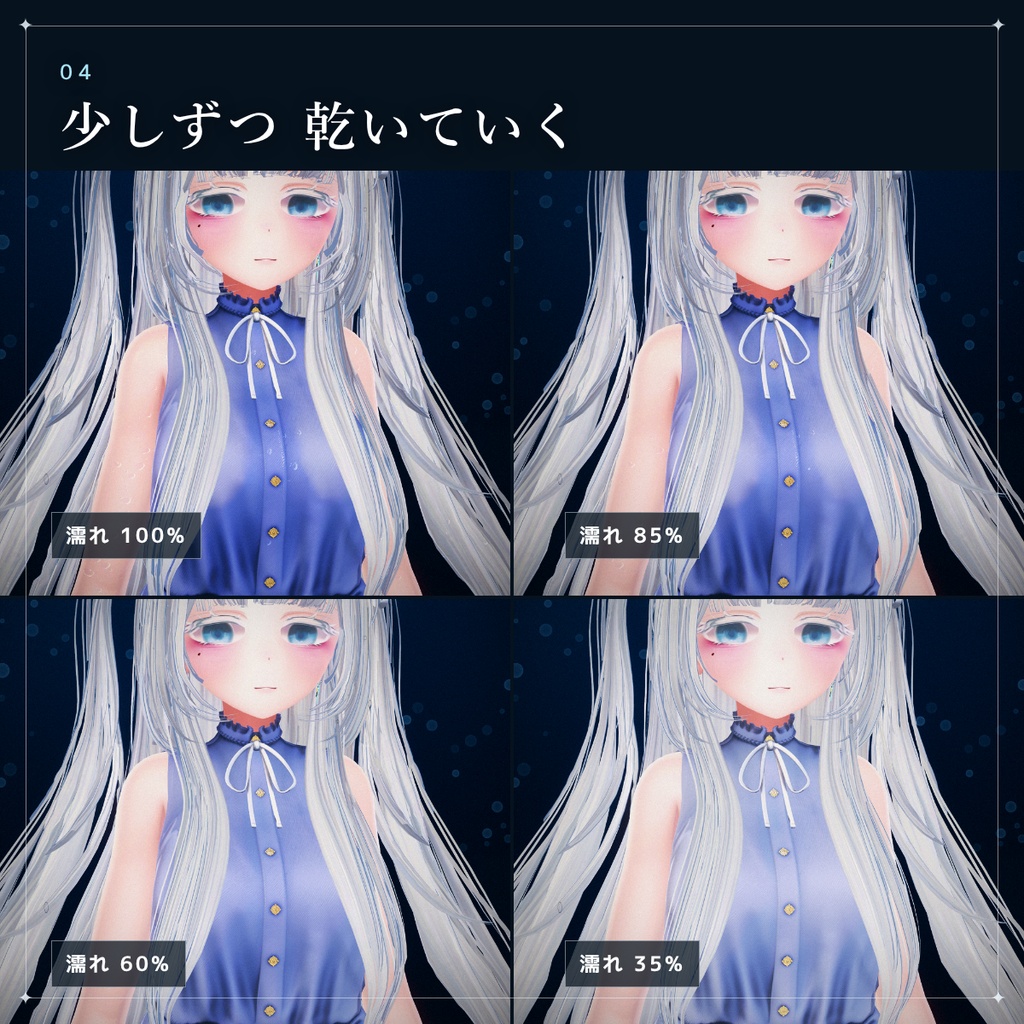
VRChat(VRC)用の、服・髪・肌が水で濡れるギミックです。 Humanoidアバターに対応しています! 水に入ったところから色が濃くなり、ツヤと水滴がつき、服は肌に貼りついて透けます。 水から出ると、上のほうから少しずつ乾いていきます。 雨・ビニール傘・水鉄砲・床に落ちるしずくも入っています。 Modular Avatar 対応で、アバターに付けて「濡らすメッシュ」を確かめるだけで導入できます! 🎉 無料お試し版あり🎉 雨で濡れて透けるところまで、無料で試せます。 お使いのアバター・服で透け方を確かめてから、ご購入いただけます。
日本語
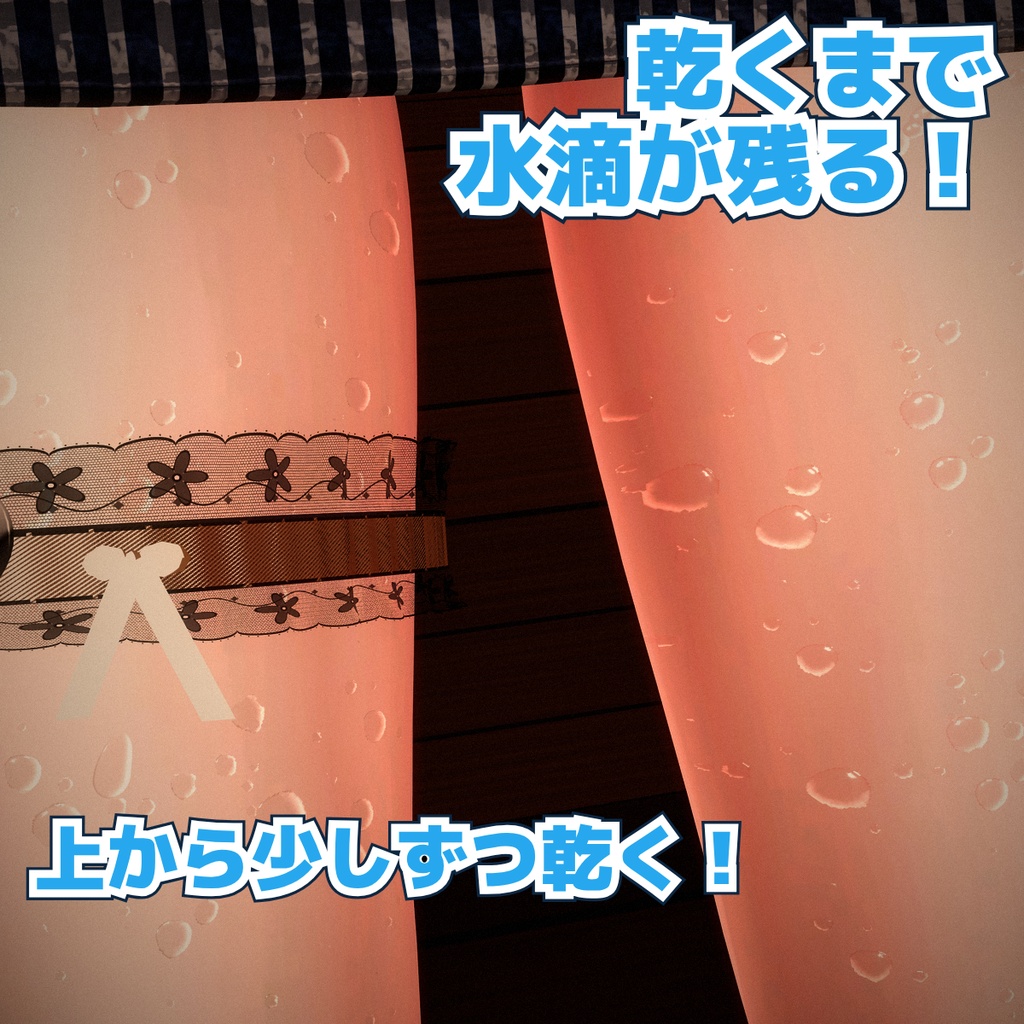
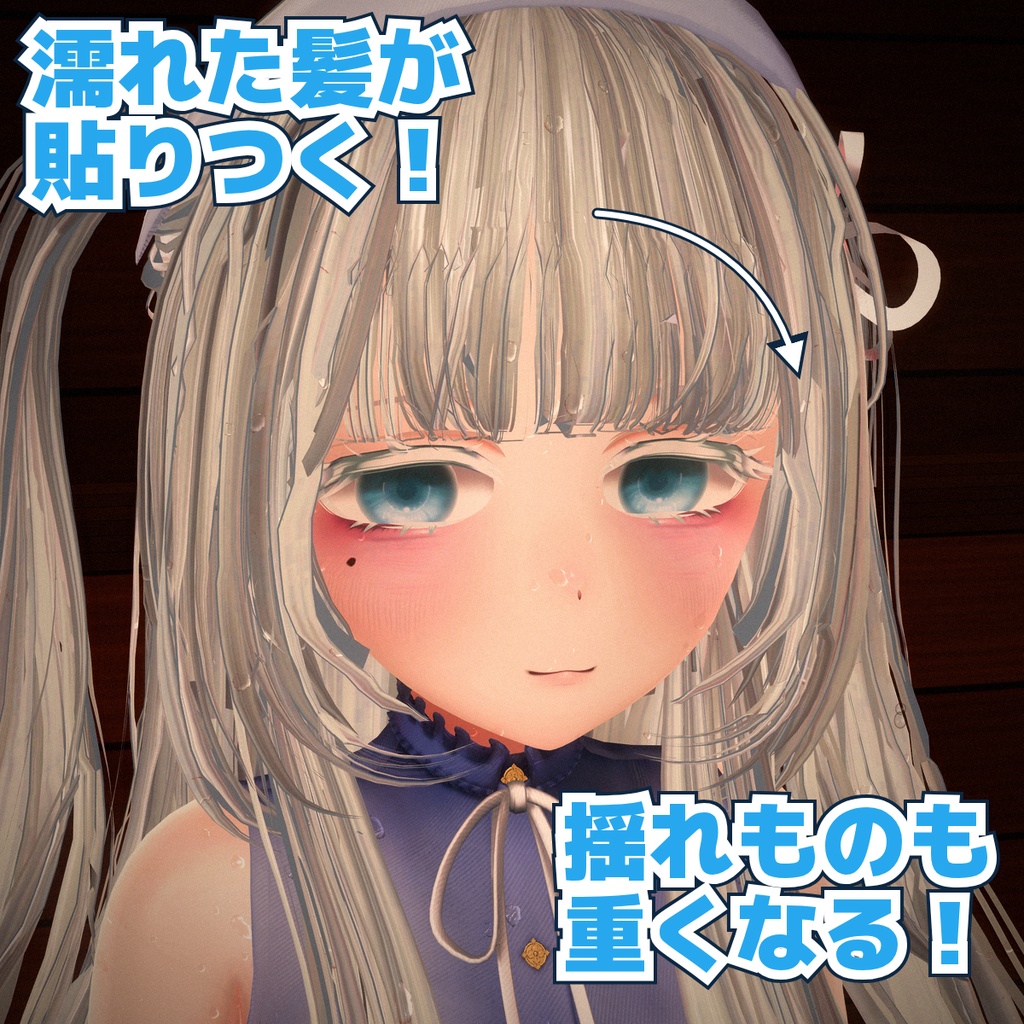
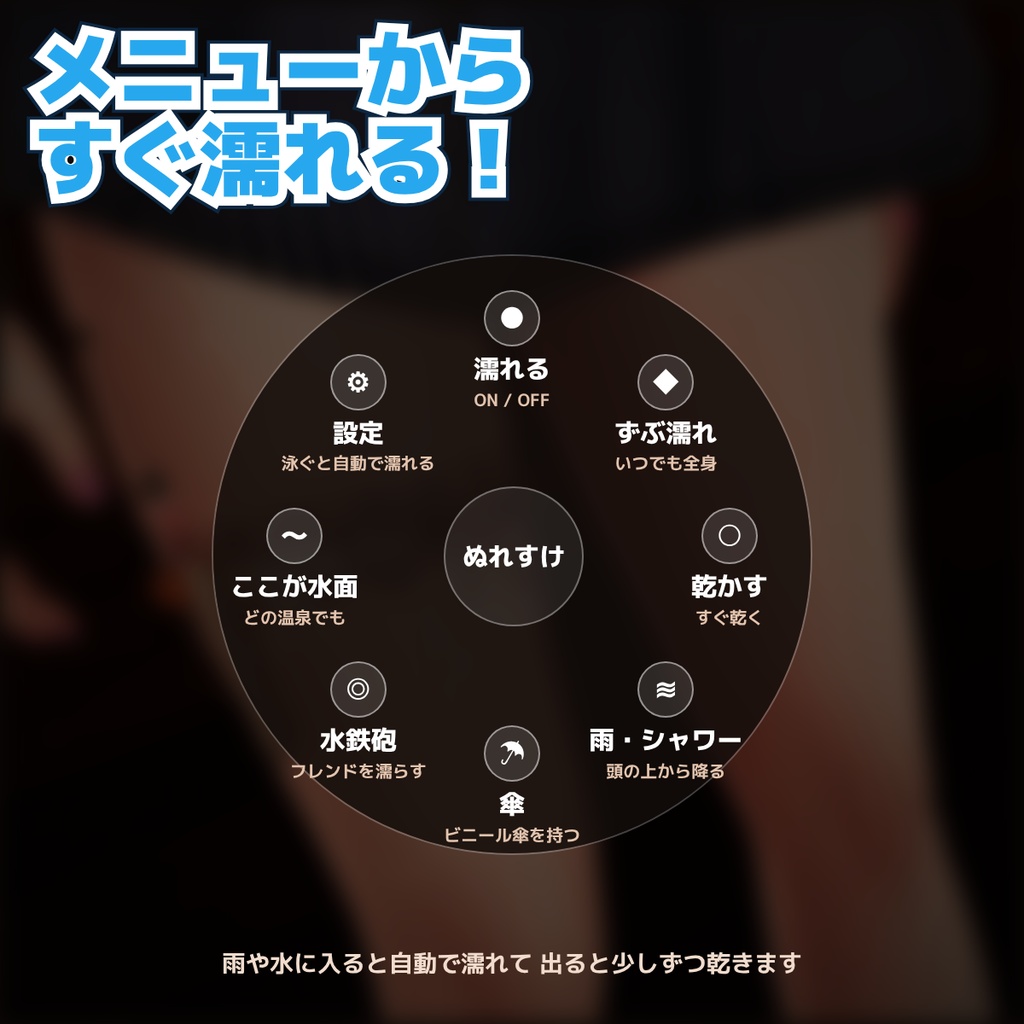
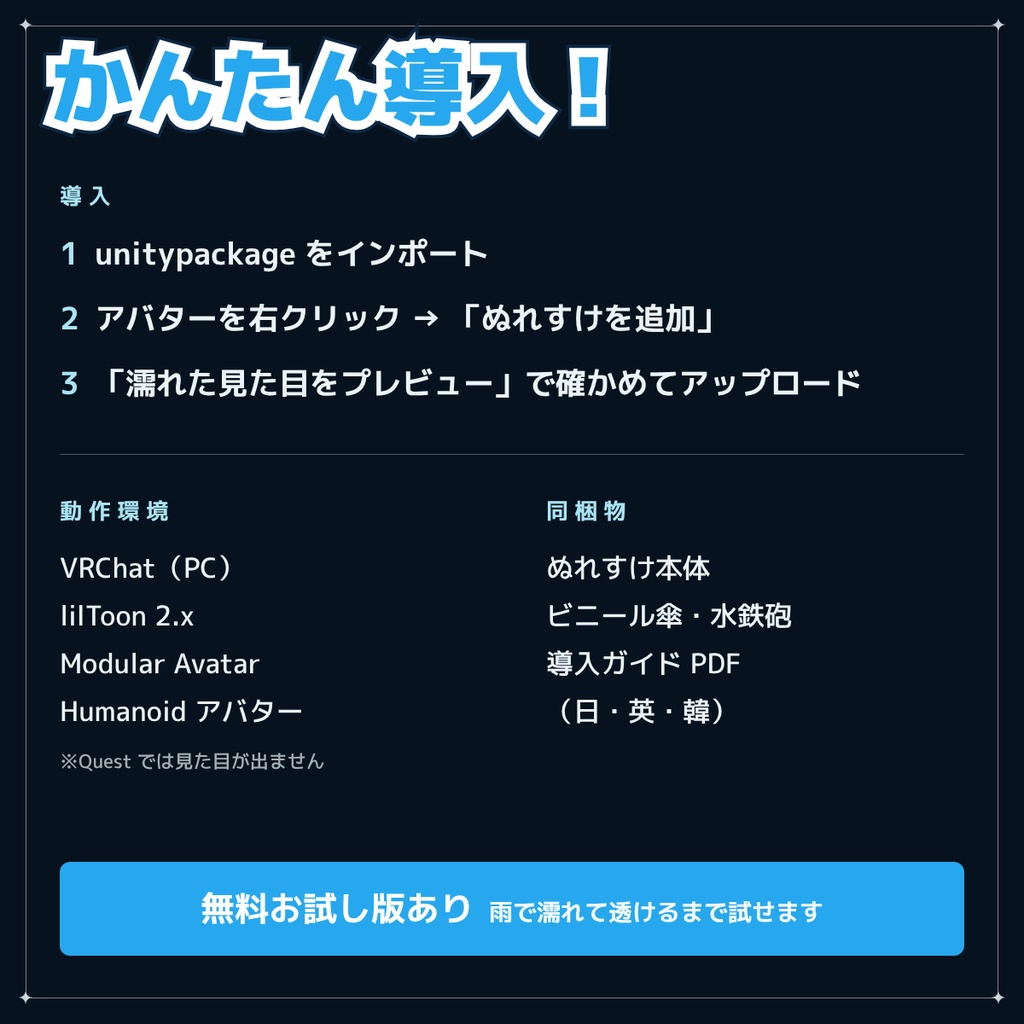
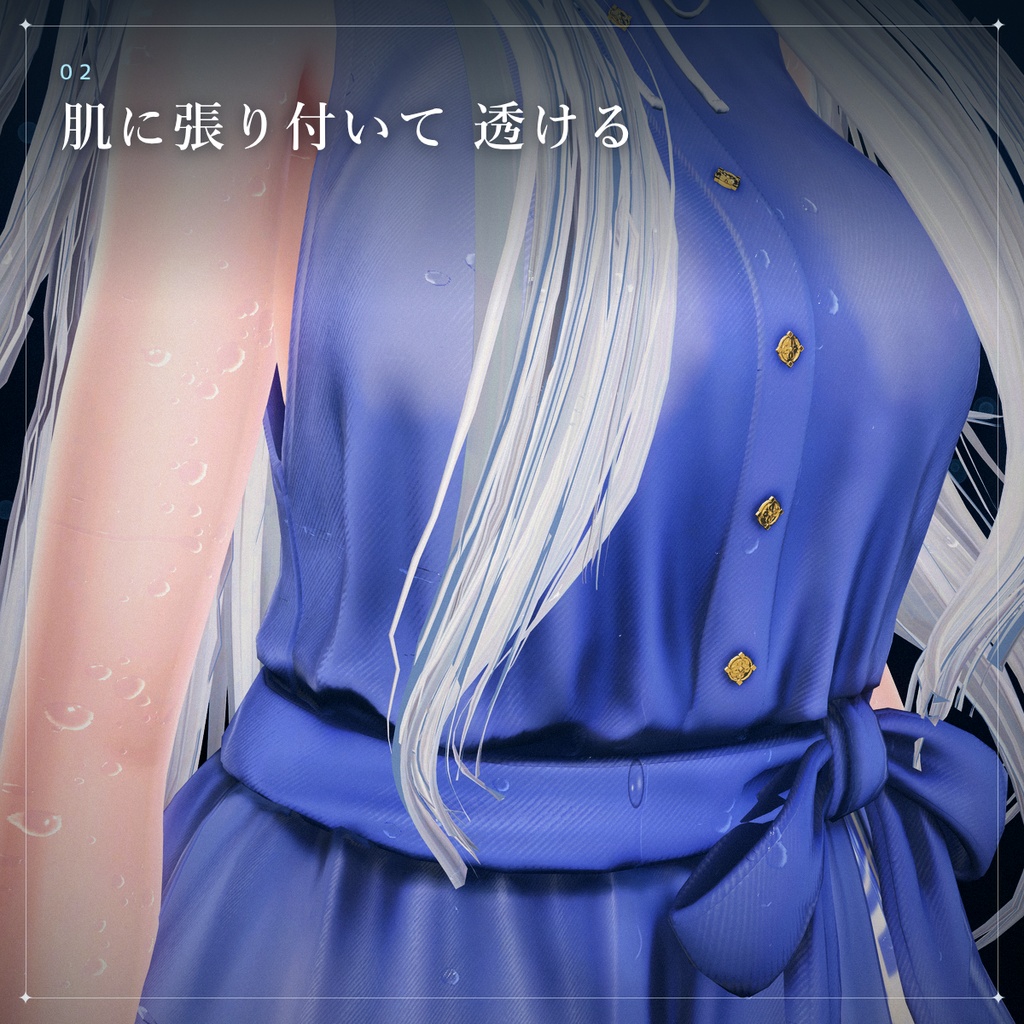
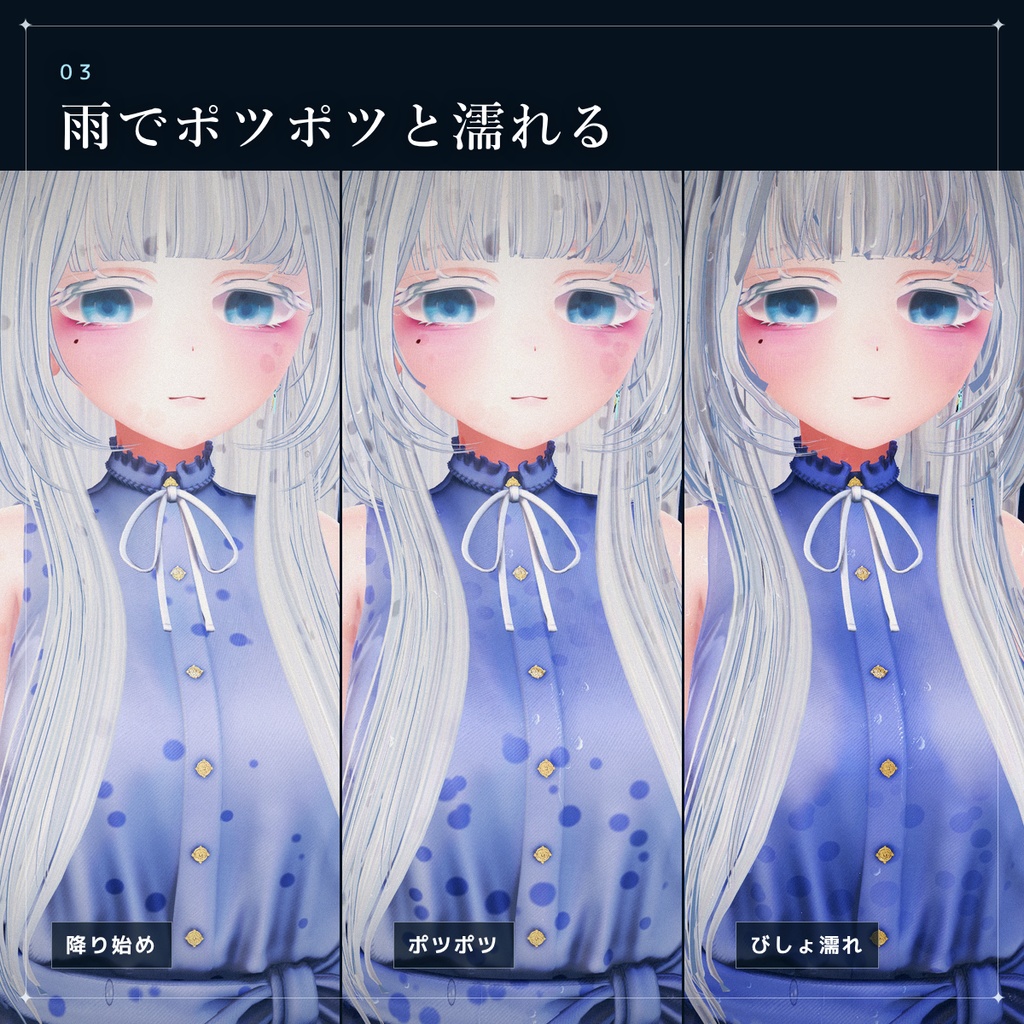
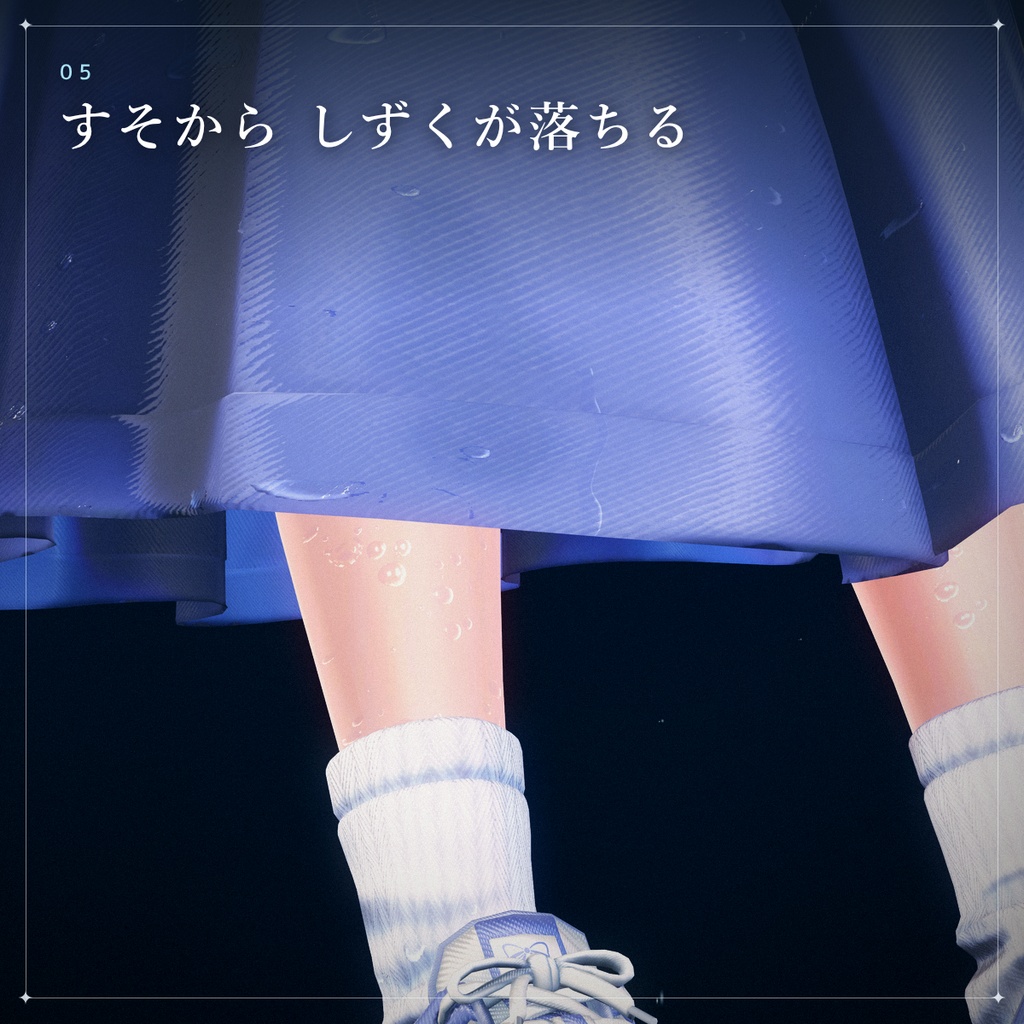
■ できること ・濡れた服は、肌に貼りついて透ける!? 肌のすぐ近くの布は、濡れると肌に吸い寄せられて貼りつき、そこだけ透けます。スカートのすそなど体から離れた所はほとんど透けません。 ・服の素材に合わせて濡れ方が変わる! 服の素材に合わせて濡れ方や透け方に違いがあります。 ・濡れると髪やスカートの動き方が変わる! 濡れた場所の重力が強くなり、揺れ方が変わります。 ・少しずつ乾く 水から出ると、上のほうから少しずつ乾き、うっすら跡が残ってから消えます。 髪やスカートの揺れものは、濡れている間だけ重くなります。 ・泳げる水に入ると、水位のところまで濡れる! ワールドの水に入ると、水面より下だけが濡れていきます。 ・「ここが水面」で、どの温泉・プールでも 泳げない温泉やプールでも、右手を水面の高さに置いてメニューの「ここが水面」を ON にすれば、そこが水面になり、自動で濡れます。 ・雨・シャワーで、ポツポツと点から濡れる 降り始めは点で濡れ、雨が続くと全体がびしょ濡れになります。 頭・肩など上を向いた所から先に濡れます! ・雨は傘でガード! 傘の下は濡れず、傘の外に出ている所だけが濡れていきます。 傘をずらして左手だけ外に出せば、左手だけが濡れます。 ・このギミックを入れたフレンドを濡らしちゃおう! 水鉄砲つき! 発射された水が当たった所が濡れます!(相手もぬれすけを付けている場合) ・しずくがしたたり、床に濡れ跡がつく! 髪の先・指先・服のすそから水がしずくになって落ち、床に濡れ跡が残ります。 ■ メニュー(ぬれすけ) ・濡れる(ON/OFF) ・ずぶ濡れ ・乾かす ・雨・シャワー ・傘 ・水鉄砲 ・ここが水面(右手) ・設定 ▸ 泳ぐと自動で濡れる/水滴 ■ 動作環境 ・VRChat(PC) ・Unity 2022.3 ・VRChat SDK 3.7 以上 ・Modular Avatar ・lilToon 2.x ・Humanoid のアバター ※ Quest(Android)版では濡れた見た目は出ません。 ■ 導入方法 1. unitypackage をインポート 2. ヒエラルキーでアバターを選んで、Tools > ぬれすけ(またはアバターを右クリック →「ぬれすけを追加」) 3. 自動で入った「濡らすメッシュ」の 服/髪/肌 と素材を確かめる 4. 「濡れた見た目をプレビュー」で見た目を確かめて、アップロード くわしくは同梱の導入ガイド(PDF)をご覧ください。 ■ 同梱物 ・NureSuke_v1.0.0.unitypackage ・導入ガイド PDF(日本語・English・한국어) ・Readme(日本語・English・한국어) ■ ご注意 ・PC 版向けです。Quest(Android)版では濡れた見た目が出ません(Quest ではカスタムシェーダーが使えないため)。 ・lilToon のマテリアルだけに対応しています(Lite/ファー/宝石/屈折は濡れません)。 ・VRChat の設定の「Avatar Self Interaction」を ON にしてください。 ・しずく・床の跡・水鉄砲の水はパーティクルなので、相手の Safety 設定によっては見えないことがあります。 ・床の濡れ跡は、当たり判定のある床(Default / Environment レイヤー)でだけできます。 ・メッシュの UV5〜UV7 を使います。lilToon の「ID Mask」で UV5〜UV7 を使っているマテリアルとは併用できません。 ・入れた直後の 1 回目のアップロードは、シェーダーのコンパイルで数分かかります(2 回目からは速くなります)。 ・重力の変化で泳げる水を判定しています。 無重力のワールドなどでは誤判定を起こす可能性があります。 ■ 利用規約 ・購入者ご本人のアバターでの使用・改変はご自由にどうぞ ・データの再配布・転売は禁止です ・このギミックを組み込んだアバターを販売・配布したい場合はご相談ください ・使用によって生じたトラブルについては責任を負いかねます ■ その他 本ギミックの開発(プログラム・文章の作成など)には、AIと協力して作成しております。 動作の確認・調整は作者が行っています。 不具合・ご質問は、BOOTH のメッセージからお送りください。
English
■ Features - Wet clothes turn see-through where they cling to the skin!? Fabric close to the skin is pulled onto it when wet, and only that part turns see-through. Parts that hang away from the body, like a skirt hem, barely show through. - Gets wet differently depending on the material! How the clothes get wet and how see-through they become varies with the material. - Hair and skirts move differently when wet! Gravity gets stronger on the wet parts, changing how they sway. - Dries little by little After you leave the water, you dry little by little from the top down, with a faint mark that lingers before it fades. Hair and skirt PhysBones get heavier only while wet. - Step into swimmable water and get wet up to the water line! Step into water in a world, and only the parts below the surface get wet. - "Water surface here" works in any hot spring or pool Even in hot springs or pools you can't swim in, hold your right hand at water level and turn on "Water surface here" in the menu. That becomes the water surface, and you get wet automatically. - Rain / Shower soaks you dot by dot At first you get wet in scattered dots, and as the rain keeps falling you end up soaked all over. Upward-facing areas like your head and shoulders get wet first! - Guard against the rain with the umbrella! What's under the umbrella stays dry; only the parts sticking out get wet. Tilt the umbrella so just your left hand is outside, and only your left hand gets wet. - Soak your friends who have this gimmick! Water gun included! Wherever the water hits gets wet! (if the other person also has NureSuke) - Drips fall and leave wet marks on the floor! Water drips from the tips of your hair, your fingertips and the hems of your clothes, leaving wet marks on the floor. ■ Menu (NureSuke) - Wet (ON/OFF) - Soak - Dry - Rain / Shower - Umbrella - Water gun - Water surface here (right hand) - Settings > Auto wet when swimming / Drops ■ Requirements - VRChat (PC) - Unity 2022.3 - VRChat SDK 3.7 or later - Modular Avatar - lilToon 2.x - Humanoid avatar * The wet look does not appear on Quest (Android). ■ Setup 1. Import the unitypackage 2. Select your avatar in the Hierarchy and choose Tools > ぬれすけ (or right-click the avatar > ぬれすけを追加 (Add NureSuke)) 3. Check the Clothes / Hair / Skin type and material of the "Meshes to wet" that were filled in automatically 4. Check the look with "Preview wet look", then upload See the included setup guide (PDF) for details. ■ Contents - NureSuke_v1.0.0.unitypackage - Setup guide PDF (Japanese / English / Korean) - Readme (Japanese / English / Korean) ■ Notes - For PC. The wet look does not appear on Quest (Android), because custom shaders can't be used on Quest. - Only lilToon materials are supported (Lite / Fur / Gem / Refraction don't get wet). - Turn on "Avatar Self Interaction" in your VRChat settings. - Drips, floor marks and the water gun's water are particles, so others may not see them depending on their Safety settings. - Wet marks only appear on floors with a collider (Default / Environment layer). - Uses mesh UV5-UV7. Can't be combined with lilToon materials that use UV5-UV7 for "ID Mask". - The first upload after installing takes a few minutes while the shaders compile (it's faster from the second time on). - Swimmable water is detected from changes in gravity. It may be misdetected in worlds with zero gravity, etc. ■ Terms of use - You may use and modify it freely on the purchaser's own avatars - Redistribution and resale of the data are prohibited - Please contact us if you want to sell or distribute an avatar that includes this gimmick - We take no responsibility for any trouble caused by its use ■ Other This gimmick was developed (programming, writing, etc.) in cooperation with AI. Testing and adjustments are done by the creator. For bugs or questions, please send a message on BOOTH.
한국어
■ 할 수 있는 것 ・젖은 옷은 피부에 달라붙은 곳이 비친다!? 피부 가까이 있는 천은 젖으면 피부에 달라붙고, 그곳만 비칩니다. 치맛자락처럼 몸에서 떨어진 곳은 거의 비치지 않습니다. ・옷 소재에 따라 젖는 방식이 달라진다! 옷 소재에 따라 젖는 방식이나 비치는 정도가 다릅니다. ・젖으면 머리카락이나 치마의 움직임이 달라진다! 젖은 곳의 중력이 강해져서 흔들리는 모습이 달라집니다. ・조금씩 마른다 물에서 나오면 위쪽부터 조금씩 마르고, 옅은 자국이 남았다가 사라집니다. 머리카락이나 치마의 흔들리는 본(PhysBone)은 젖어 있는 동안만 무거워집니다. ・수영할 수 있는 물에 들어가면 수위만큼 젖는다! 월드의 물에 들어가면 수면 아래만 젖어 갑니다. ・「여기가 수면」으로 어떤 온천・수영장에서도 수영할 수 없는 온천이나 수영장이라도, 오른손을 수면 높이에 두고 메뉴의 「여기가 수면」을 켜면 그곳이 수면이 되어 자동으로 젖습니다. ・비・샤워로 톡톡 점부터 젖는다 처음에는 점처럼 젖고, 비가 계속되면 전체가 흠뻑 젖습니다. 머리・어깨처럼 위를 향한 곳부터 먼저 젖습니다! ・비는 우산으로 막자! 우산 아래는 젖지 않고, 우산 밖으로 나온 곳만 젖어 갑니다. 우산을 비켜 왼손만 밖으로 내밀면 왼손만 젖습니다. ・이 기믹을 넣은 친구를 적셔 보자! 물총 포함! 발사된 물이 맞은 곳이 젖습니다!(상대도 누레스케를 넣은 경우) ・물방울이 떨어지고, 바닥에 젖은 자국이 남는다! 머리카락 끝・손끝・옷자락에서 물이 방울져 떨어지고, 바닥에 젖은 자국이 남습니다. ■ 메뉴(누레스케) ・젖음 (ON/OFF) ・흠뻑 젖기 ・말리기 ・비・샤워 ・우산 ・물총 ・여기가 수면 (오른손) ・설정 ▸ 수영하면 자동으로 젖음/물방울 ■ 동작 환경 ・VRChat(PC) ・Unity 2022.3 ・VRChat SDK 3.7 이상 ・Modular Avatar ・lilToon 2.x ・Humanoid 아바타 ※ Quest(Android) 버전에서는 젖은 모습이 나오지 않습니다. ■ 설치 방법 1. unitypackage를 임포트 2. 하이어라키에서 아바타를 선택하고 Tools > ぬれすけ (또는 아바타를 우클릭 → 「ぬれすけを追加」(누레스케 추가)) 3. 자동으로 들어간 「적실 메시」의 옷/머리카락/피부와 소재를 확인 4. 「젖은 모습 미리보기」로 모습을 확인하고 업로드 자세한 내용은 동봉된 설치 가이드(PDF)를 봐 주세요. ■ 동봉물 ・NureSuke_v1.0.0.unitypackage ・설치 가이드 PDF(일본어・English・한국어) ・Readme(일본어・English・한국어) ■ 주의 ・PC 버전용입니다. Quest(Android) 버전에서는 젖은 모습이 나오지 않습니다(Quest에서는 커스텀 셰이더를 쓸 수 없기 때문). ・lilToon 머티리얼만 대응합니다(Lite/퍼/보석/굴절은 젖지 않습니다). ・VRChat 설정의 「Avatar Self Interaction」을 켜 주세요. ・물방울・바닥 자국・물총의 물은 파티클이라서, 상대의 Safety 설정에 따라 보이지 않을 수 있습니다. ・바닥의 젖은 자국은 콜라이더가 있는 바닥(Default / Environment 레이어)에서만 생깁니다. ・메시의 UV5~UV7을 사용합니다. lilToon의 「ID Mask」에서 UV5~UV7을 쓰는 머티리얼과는 함께 쓸 수 없습니다. ・설치 직후 첫 업로드는 셰이더 컴파일 때문에 몇 분 걸립니다(두 번째부터는 빨라집니다). ・중력의 변화로 수영할 수 있는 물을 판정합니다. 무중력 월드 등에서는 잘못 판정할 수 있습니다. ■ 이용 약관 ・구매자 본인의 아바타에서 자유롭게 사용・개변할 수 있습니다 ・데이터의 재배포・전매는 금지입니다 ・이 기믹을 넣은 아바타를 판매・배포하려면 문의해 주세요 ・사용으로 인해 생긴 문제에 대해서는 책임지지 않습니다 ■ 기타 이 기믹은 프로그램과 문장 작성 등을 AI와 협력하여 개발했습니다. 동작 확인과 조정은 제작자가 하고 있습니다. 버그나 질문은 BOOTH 메시지로 보내 주세요.